Clear reservoir adjustments

Know what to add to your reservoir—and what to check next.

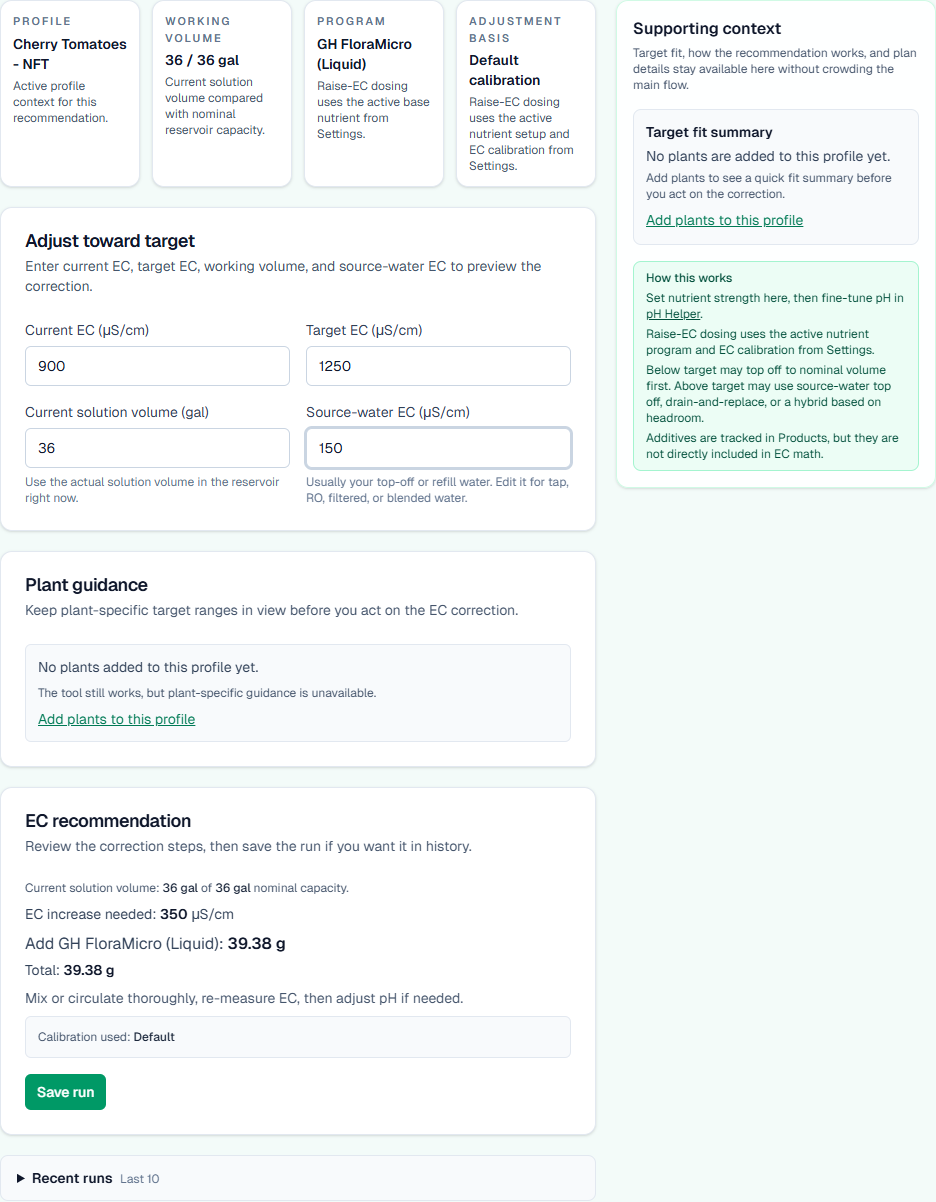
Enter your EC or pH reading, target, and actual water volume, and YieldPivot calculates explicit amounts for the nutrient product or recipe you use.

Cropped YieldPivot EC recommendation showing a calculated 39.38 gram nutrient amount.
Example result screen focused on the calculated amount and the next check.

Try a worked example — no account needed

A 10 US gallon YieldPivot reference example

This example scales YieldPivot’s reference recipe for a fresh batch of water. Input: 10 US gallons of actual water volume (not the reservoir’s rated capacity).

These rates are YieldPivot’s example contract, not Jack’s published formulation or a manufacturer guarantee. The named products identify the ingredients; follow their current labels for your growing plan.

  • Jack’s 5-12-26 Part A: 3.6 g per US gallon × 10 = 36.00 g
  • Epsom salt / magnesium sulfate: 1.2 g per US gallon × 10 = 12.00 g
  • Jack’s Cal Nit Part B: 2.4 g per US gallon × 10 = 24.00 g

Total: 72.00 g, weighed as three separate ingredients. Mix in order: Part A, Epsom salt, then Cal Nit, dissolving each fully before adding the next.

Assumptions: the named products and YieldPivot reference rates shown above. This is recipe scaling for a fresh batch; it is not a crop target or an amount to add to an already-fed reservoir. Source water, meter accuracy, temperature and existing nutrients affect the resulting EC and pH.

After mixing thoroughly and allowing the meter reading to stabilize, remeasure EC and pH. Compare with your chosen growing plan and product labels before making another adjustment. This example predicts neither an exact final EC nor a pH dose.

Manufacturer reference for products and mixing order: Jack’s Nutrients mixing guidance. Its published formulation differs from these YieldPivot example rates. Check the current labels for your products.

Inside the app

See the product before you pay for it

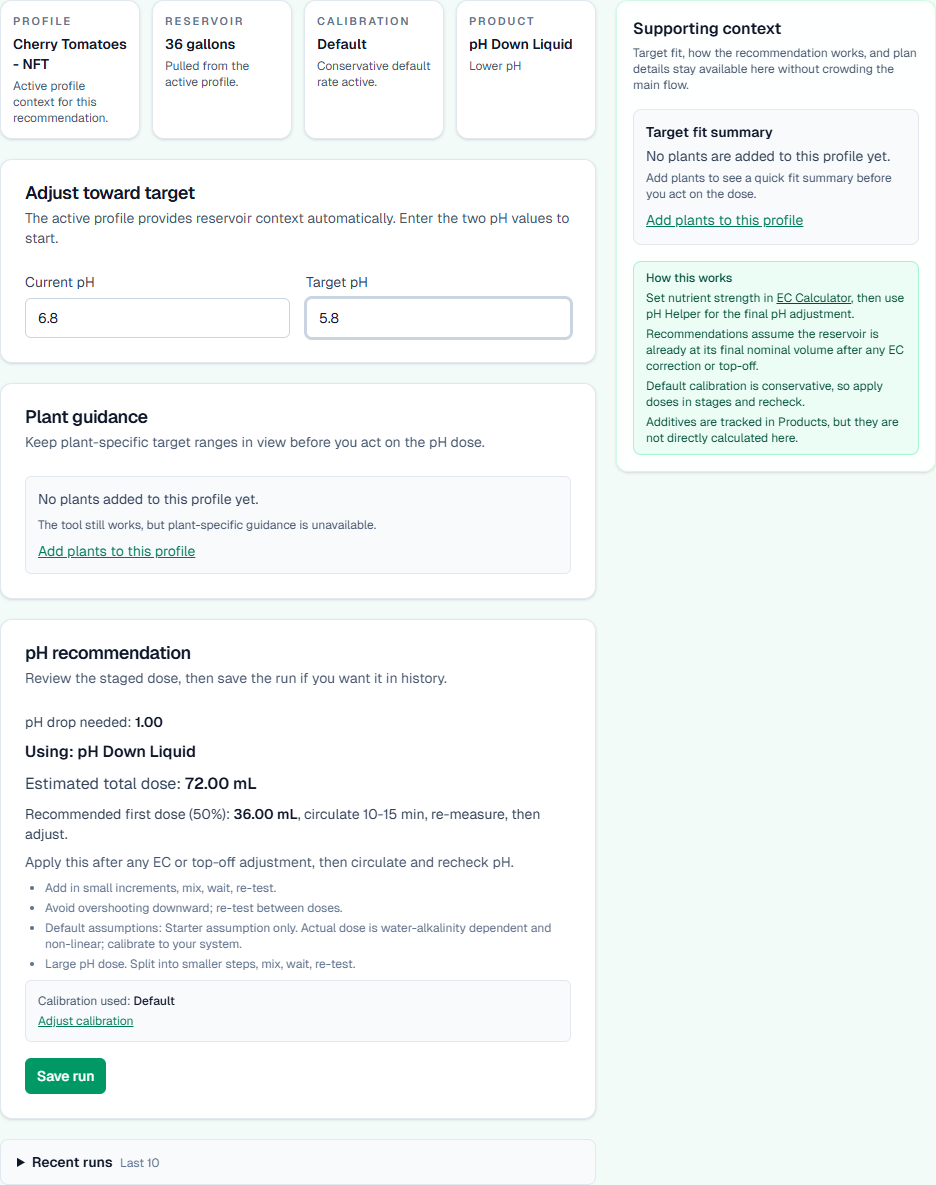
These are real YieldPivot screens. Keep your reservoir details and products together, then turn fresh readings into clear next steps.

YieldPivot dashboard showing the current reservoir check and next actions.
Dashboard, profile context, and the next action in one place.

Workflow

How YieldPivot works

A calmer way to make EC and pH decisions, using the products you already own.

Step 1

Set up your grow and map your products

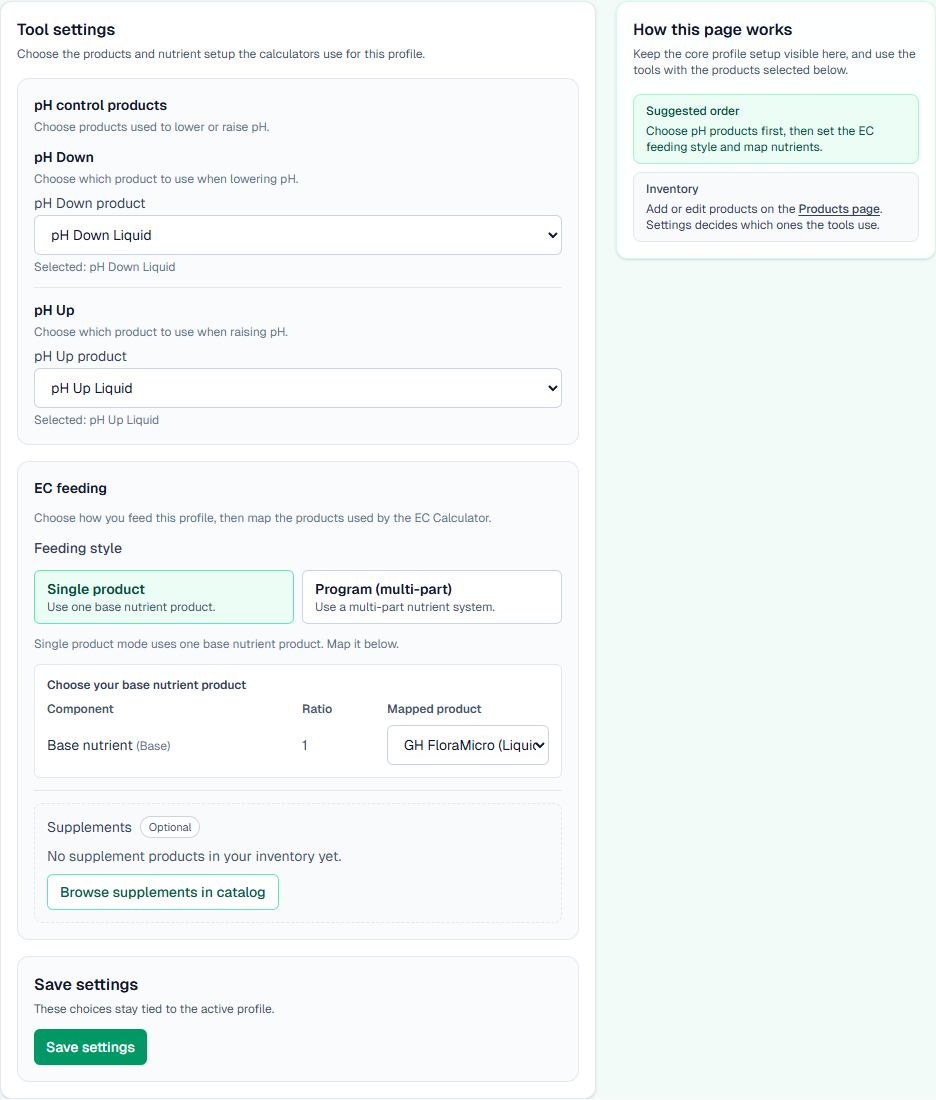
Choose your profile, reservoir, and the nutrients and pH products you actually use. YieldPivot keeps that setup tied to your workspace so you do not have to rebuild the same context every time.

YieldPivot tool settings with mapped pH products and an EC nutrient selection.
Mapped products stay tied to the active profile.

Step 2

Enter your readings and get a clear recommendation

Instead of guessing or editing formulas in a spreadsheet, enter your current reading, target, and water volume. Choose one nutrient product, a built-in multi-product recipe, or a Pro custom recipe. Built-in recipes show amounts for your water volume. For a custom mix, first measure and save how it changes EC. Results keep grams primary and may include approximate spoon measures, so you can check the recommendation against your meter, product labels, and grower judgment.

YieldPivot EC Calculator showing a nutrient dosing recommendation based on current and target EC.
EC guidance based on the active profile and working volume.

Step 3

Reuse the same workflow with less friction

Your dashboard, setup, recipe choices, and product context stay together. Pro lets you save, edit, archive, and reuse custom nutrient recipes. Measurements saved with a custom mix can guide later adjustments without rebuilding your notes each time.

YieldPivot dashboard showing reservoir checks and next-action buttons.
The dashboard keeps setup, checks, and next steps together.
YieldPivot pH Helper showing a staged first-dose recommendation.
pH guidance with a concrete first dose.
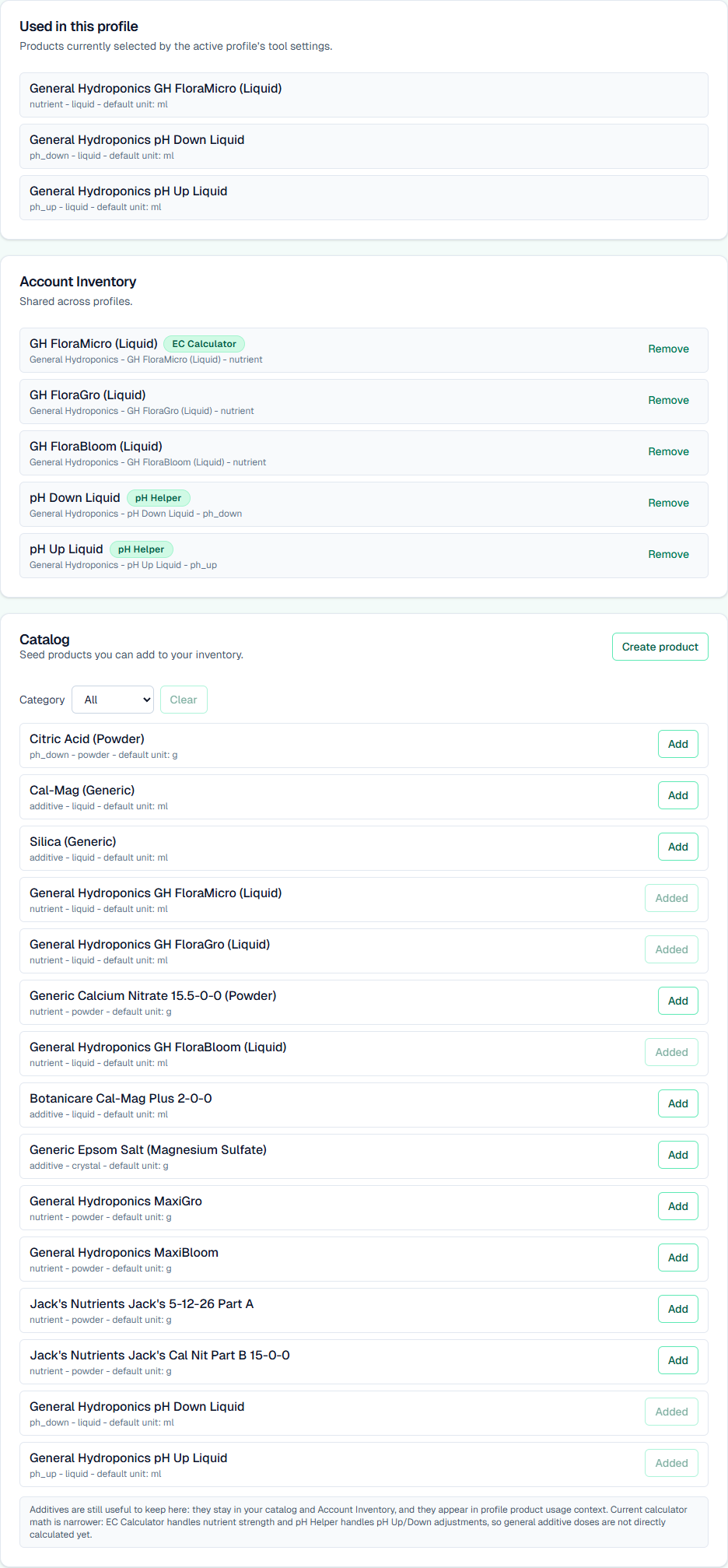
YieldPivot products inventory showing mapped nutrient and pH products.
Your own product inventory stays in the workflow.

Solve a reservoir question

Start with what you need to do

Use a practical guide when you need context before making an adjustment.

Comparison

Why not a spreadsheet or a one-off calculator?

Free tools can help with isolated math. The problem is repeatability.

Spreadsheet / notes

  • You keep the formulas straight yourself
  • Product assumptions live in separate tabs or memory
  • Easy to lose context between sessions

One-off calculator

  • Useful for a quick answer
  • Usually not tied to your actual products or profile
  • Often resets the workflow every time you come back

YieldPivot

  • Keeps profile, water, and mapped products in one place
  • Includes built-in recipe guidance for every tier and product-and-amount custom recipes for Pro
  • Separates label-strength recipe guidance from calibrated target-EC correction
  • Gives direct EC and pH recommendations from a repeatable setup
  • Designed to reduce guesswork without replacing meters, labels, or grower judgment

Founder

Built by a scientist who wanted hydro decisions to feel safer and more repeatable

YieldPivot was built by a PhD in math/physics and Principal Data Scientist who wanted nutrient adjustments to feel less like spreadsheet surgery and more like a repeatable operating workflow. The goal is simple: clearer decisions, calmer execution, and better use of the products growers already own.

Ready when you are

See the app, then decide

Start with the workflow, pricing, and product fit. Then open the app when you are ready.